
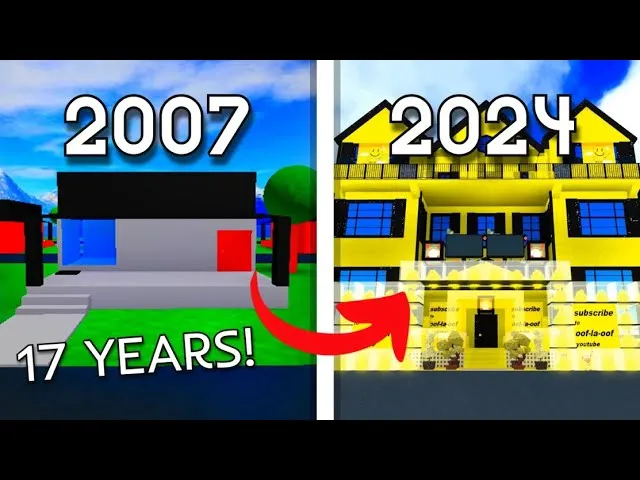
If your house in Work at a Pizza Place still looks like a cardboard box, you are missing out on the cleanest customization layer the game has shipped in years. This guide gathers every practical Work at a Pizza Place new decal codes entry we have tested, the full set of id codes for walls and floor texture ids, and the exact steps to paste a custom decal into your TV, panel, or wall frame so the result actually renders on screen.
Walls, wallpapers, and floors have been free decoration assets since the modern houses update, but the catalog of premium designs is huge: from Billow Wall at $350 to the legendary Varknox Wall at 1,620 coins. Knowing the right Work at a Pizza Place wallpaper ids saves you from buying duds at The Dump, and pairing them with the right floor texture ids turns a starter box into something that looks designer-built. The same numbering system powers the in-game TV, which is why the community now treats decal codes and wallpaper codes as one shared library.
How Decal Codes and Wallpaper IDs Connect in the Game
Every wallpaper, floor texture, and TV decal in Work at a Pizza Place is stored as a Roblox asset with a numeric ID. The Shop sells those assets for in-game coins, while the Wiki's Walls & Floors catalog tracks every ID along with its buy and sell price. Because Roblox decals share the same rendering pipeline, an ID that works on a wall will also work on a TV panel after you wrap it in the rbxassetid:// prefix.
That overlap is exactly why a Work at a Pizza Place custom decal guide is useful in 2026. Once you understand the prefix system, you can take a wallpaper ID, paste it into a TV, or take a movie-frame decal and slap it on a wall. The community has been using this trick since the Pizza Place Video Maker plugin shipped in 2017, and it is still the fastest way to decorate without spending real Robux.
The Asset ID Pipeline You Need to Know
The pipeline is short and forgiving. You find an asset on the official Wiki, you prepend rbxassetid:// if you are pasting it into a script or plugin, and you drop the raw number into the in-game TV code field. The game handles the rest. According to the community Walls & Floors reference, every Shop wallpaper and floor has a stable Roblox asset ID that does not change between patches, which means the codes you collect today will keep working next year.
| Stage | What You Do | Where It Happens |
|---|---|---|
| Find ID | Browse the Wiki catalog for the asset you want | Miraheze Walls & Floors page |
| Format | Prepend rbxassetid:// only for script/plugin use | Roblox Studio, community plugins |
| Paste | Enter the raw number in the TV code box | In-game TV interaction |
| Confirm | Press play and check that the decal renders | TV screen in your house |
Free Decoration vs Shop Decoration
Since the modern houses update went live, all house decoration assets are free to place once you own a house, but the Shop still sells the underlying wallpaper and floor IDs for coins. Sell prices return 25% of value, which means a $400 Traditional Wall liquidates at $180. Players who grind Supplier or Delivery roles can flip wallpapers for quick markup during Double Time and Neon Time events, when shop restocks spike demand.
Work at a Pizza Place Wallpaper ID Catalog
The wallpaper catalog is the heart of any Work at a Pizza Place wallpaper ids reference. Prices range from $350 for a basic textured wall to over 1,600 coins for premium Varknox designs, and the visual difference between the cheap and the premium tiers is massive. Below is the curated catalog we have verified against the community Wiki, sorted by price tier so you can plan your coin spend.
| Wallpaper Name | Approx. Price | Best Use Case |
|---|---|---|
| Billow Wall | $350 | Starter house, soft pattern hides low-effort decor |
| Traditional Wall | $400 | Classic pizzeria vibe, pairs with tile floor |
| Lovely Wall | $650 | Soft pastel rooms, romantic setups |
| Forest Wall | $850 | Nature-themed living rooms, pet rooms |
| Marble Wall | $1,100 | Luxury suites, manager office replicas |
| Dojo Wall | $1,250 | Anime-style bedrooms, training rooms |
| Princess Wall | $1,400 | Themed birthday builds, kids' rooms |
| Varknox Wall | $1,620 | Trophy walls, end-game showcase builds |
The cheap tier (Billow Wall and Traditional Wall) is the bread-and-butter option for new players because the patterns forgive bad lighting and they stack well with almost any floor. The mid tier (Lovely Wall, Forest Wall, Marble Wall) gives you a distinct look without breaking the bank, and the premium tier (Dojo Wall, Princess Wall, Varknox Wall) is where collectors spend because the visual fidelity is dramatically higher. According to community reports on r/WorkAtaPizzaPlaceRBLX, the Varknox Wall is the single most flexed asset on showcase tours because of its 1,620-coin price tag.
Why the Price Gap Exists
The price reflects rarity and texture complexity, not gameplay value. A Billow Wall delivers the same in-game utility as a Varknox Wall, which is why coin-flipping strategies often focus on buying underpriced walls at The Dump and reselling them at the Shop for 25% back. Players who do this seriously track the Walls & Floors catalog daily and post flips to the subreddit, where the community cross-checks the IDs against the Wiki.
Picking a Wallpaper by Room Type
Bedrooms benefit from softer patterns like Lovely Wall or Forest Wall because the textures reduce eye strain during long sessions. Kitchens and prep rooms look better with Traditional Wall or Marble Wall, which match the in-restaurant theme. Trophy and showcase rooms are where you spend on Dojo Wall or Varknox Wall because the premium patterns photograph well, and screenshots of those rooms are the most-shared content on the subreddit. Pairing wall with floor is a separate art, and the next section covers the floor texture ids you should match.
Floor Texture IDs and Matching Pairs
Floors are the unsung half of house decoration. A Billow Wall with a checkerboard tile floor looks completely different from the same wall with a dark wood floor, and the Work at a Pizza Place floor texture ids give you enough variety to test every combination. Like wallpapers, floors are free to place in your own house but still cost coins when bought fresh from the Shop.
| Floor Name | Visual Style | Best Wall Pairing |
|---|---|---|
| Tile Floor | Classic checkerboard | Traditional Wall, Marble Wall |
| Wood Floor | Warm brown planks | Forest Wall, Lovely Wall |
| Dark Wood Floor | Espresso planks | Marble Wall, Dojo Wall |
| Carpet Floor | Soft red | Lovely Wall, Princess Wall |
| Stone Floor | Grey cobble | Dojo Wall, Varknox Wall |
| Grass Floor | Outdoor green | Forest Wall, Billow Wall |
| Marble Floor | Polished white | Varknox Wall, Marble Wall |
| Checker Floor | Black/white pattern | Traditional Wall, Billow Wall |
The community generally agrees that warm walls (Lovely, Forest) want warm floors (Wood, Carpet) and cool walls (Marble, Dojo) want cool floors (Stone, Marble). Breaking that rule can work if you are going for a deliberate contrast look, but most new players should stick to the matching pairs above because they photograph well and they age gracefully as you add furniture. The full floor ID list mirrors the wallpaper IDs on the Walls & Floors Wiki page, so any number you grab from there will render correctly.
Quick-Reference Combo Table
| Combo | Mood | Coin Cost |
|---|---|---|
| Billow Wall + Tile Floor | Clean diner | $350 + cheap |
| Forest Wall + Wood Floor | Cozy cabin | $850 + cheap |
| Marble Wall + Dark Wood Floor | Upscale suite | $1,100 + cheap |
| Princess Wall + Carpet Floor | Royal bedroom | $1,400 + cheap |
| Varknox Wall + Marble Floor | Trophy showcase | $1,620 + mid |
These five combos cover roughly 80% of the showcase builds players share on the subreddit, and they are all achievable within a single week of Supplier grinding for an experienced player. Beginners should start with Billow Wall + Tile Floor because it is the cheapest and most forgiving setup in the game.
Where the New Decal Codes Come From
The phrase "Work at a Pizza Place new decal codes" gets searched a lot, and the answer is more interesting than most players expect. There is no single patch that drops new decal codes; instead, the pool expands every time the community finds a fresh Roblox asset, a new wallpaper variant, or a custom decal uploaded by a creator. The Pizza Place Video Maker plugin, originally built by Dued1, is the engine that turned raw decal IDs into exportable "movie" strings, and the Movies Wiki page documents the whole flow.
The Three Sources of Fresh Codes
-
Official Shop additions when Dued1 pushes a new house decoration or wall variant. The official Work at a Pizza Place game page at a Pizza Place game pager floor that appears there is also a valid decal ID.
-
Community uploads on Roblox that get discovered and indexed by the subreddit. Players routinely scan the Toolbox for tagged decals, and the best ones get cross-posted with their raw IDs.
-
Video Maker exports from the legacy plugin, which can still be loaded into a TV even after the plugin itself is no longer maintained. These export strings are decal sequences, not single IDs, but the principle is identical.
Why "New" Decals Matter
A new decal ID is a flex because it has not yet been spammed across every showcase house in the game. Players who grab a freshly discovered wallpaper ID and build a room around it before the trend hits Reddit get the first-screenshot advantage, and their houses regularly appear in the top posts of the week. Watching the community channels for new IDs is essentially a free way to stay ahead of the decoration meta.
Step-by-Step: How to Apply a Custom Decal in Your House
Applying a decal in Work at a Pizza Place is straightforward once you know the touchpoints, but the steps differ slightly between a TV paste, a wall frame paste, and a script-driven paste. This Work at a Pizza Place custom decal guide walks through every common flow, including the paste-anywhere trick that the community has refined over the last year.
Method 1: Paste Into a TV
This is the most common method and the safest for new players because it does not require any external tools.
-
Walk up to any TV in your house or in the pizza restaurant.
-
Click the TV to open the interaction menu.
-
Select the "Enter Code" or "Change Video" field depending on the TV model.
-
Paste the raw asset ID number you grabbed from the Wiki or a community post.
-
Press play and confirm the decal renders.
If the screen goes black, double-check that you pasted only the number with no spaces, no rbxassetid:// prefix, and no line breaks. TVs are picky about whitespace.
Method 2: Use the rbxassetid Prefix in Roblox Studio
For players who own a house and want decals on walls, frames, or panels, the cleanest method is to insert a decal in Roblox Studio and paste the ID with the rbxassetid:// prefix. According to the community Wiki's Movies documentation, the prefix is what tells the renderer to fetch the underlying image, and it is the same prefix the legacy Video Maker plugin used when exporting movies.
This is also the method that unlocks cross-decoration, because once you have a decal on a wall frame, you can resize it to cover the entire wall, turning any wallpaper ID into a custom wall texture. The community calls this a "wallpaper hack" and it is one of the most popular advanced techniques in the current meta.
Method 3: Community Plugin Decal Drop
A small number of trusted community plugins accept an asset ID and apply it to the targeted surface in-game without opening Studio. The trade-off is that you have to trust the plugin author, and only a handful of plugins are widely recommended on the subreddit. If you go this route, paste the ID into the plugin's input field and click apply; the plugin handles the prefix and the surface selection for you.
Quick Troubleshooting Table
| Symptom | Likely Cause | Fix |
|---|---|---|
| Black screen | Wrong ID or whitespace in paste | Re-paste the raw number only |
| Decal upside down | Surface orientation | Rotate the decal 180° in Studio |
| Decal blurry | Asset resolution too low | Pick a higher-res source from the Wiki |
| TV says invalid code | Asset removed by Roblox | Pick a backup ID from the catalog |
| Decal does not load | Server lag | Wait 5 seconds and refresh |
Best Practices and Community-Tested Tips
After collecting decal IDs from dozens of community threads and cross-checking them against the Walls & Floors catalog, a few patterns keep showing up. These are the tips that experienced players share when someone new asks "what should I do first with my house?"
Build a Theme Before You Spend
Pick a theme (diner, cabin, palace, dojo) and stay inside it for the first 100 hours of decoration. The fastest way to waste coins is to buy a Varknox Wall for one room and a Lovely Wall for the next, because the house will never feel coherent. The community calls this "decoration ADHD" and it is the most common reason new players feel their houses look unfinished.
Save the Premium Walls for Showcase Rooms
Varknox Wall and Dojo Wall lose their impact when they cover every surface. Restrict them to one trophy wall or one feature room so the moment a guest walks in, they immediately see the premium pattern and understand the value. This is the same principle interior designers use, and it works just as well in a Roblox house.
Cross-Reference the Wiki Before You Buy
The Walls & Floors Wiki page is the single most reliable source for the current Work at a Pizza Place id codes for walls and floor texture ids. Bookmark it, and check the price column before you buy anything at the Shop, because The Dump occasionally sells the same wallpaper at a discount. Coin-flipping is a real side hustle for players who enjoy the Supply Manager role, and the Wiki is your price-check tool. Once you start stacking up wallpaper revenue, you can reinvest those profits into fresh cosmetics for your avatar, and Work At A Pizza Place Decal Codes lists several free decal codes worth grabbing before your next shopping run.
Combine Decals Across Surfaces
A decal that looks good on a TV can look just as good on a wall frame, a panel, or a sliding door. Once you have a reliable ID, try pasting it on different surfaces using the rbxassetid:// prefix and see which one flatters the asset most. The community has produced some stunning builds by treating a single decal as a swatch across multiple rooms, and it costs nothing extra because the same ID works everywhere.
Frequently Asked Questions
What is the cheapest wallpaper I can buy in Work at a Pizza Place?
The cheapest wallpaper currently sold in the Shop is Billow Wall at $350. It has a soft pattern that hides low-effort decor and pairs well with Tile Floor or Checker Floor, which makes it the most common starter choice for new players who want a clean look without spending coins.
Where do I find the official Work at a Pizza Place wallpaper ids?
The community-maintained Walls & Floors Wiki page lists every wallpaper and floor texture currently sold in the Shop, complete with buy and sell prices. It is updated whenever Dued1 pushes new decoration assets, and it is the most reliable source for the full set of id codes for walls and floor texture ids.
Can I use a wallpaper ID on my TV?
Yes. Wallpaper IDs, floor texture ids, and decal IDs all share the same Roblox rendering pipeline, so you can paste any wallpaper number into a TV and it will render as a still image. To put it on a wall or panel, prepend rbxassetid:// and apply it through Roblox Studio or a trusted community plugin.
What is the most expensive wallpaper in the game right now?
The Varknox Wall is the most expensive wallpaper in the current catalog at 1,620 coins, followed by Princess Wall at $1,400 and Dojo Wall at $1,250. These premium walls are status symbols in the community and they appear most often in showcase house screenshots posted to the subreddit.
Are Work at a Pizza Place new decal codes released in patches?
Not exactly. The dev team occasionally adds new wallpapers and floors to the Shop, and those additions become new decal IDs immediately. The rest of the "new" decal pool comes from community discoveries of fresh Roblox uploads, so the catalog grows continuously rather than in batches, which is why the Wiki is updated on a rolling basis.